 PKI Manager
Certificate authorities
Create your own root certificate authorities. The key of each CA is made inside the KMS and stays there.
What you can do
- Create a self-signed root CA with your own subject (common name, organisation and country; unit, state and locality are optional), an RSA-2048 or RSA-4096 key, and a validity of 1 to 30 years.
- Keep several CAs side by side, for example one for servers and one for devices.
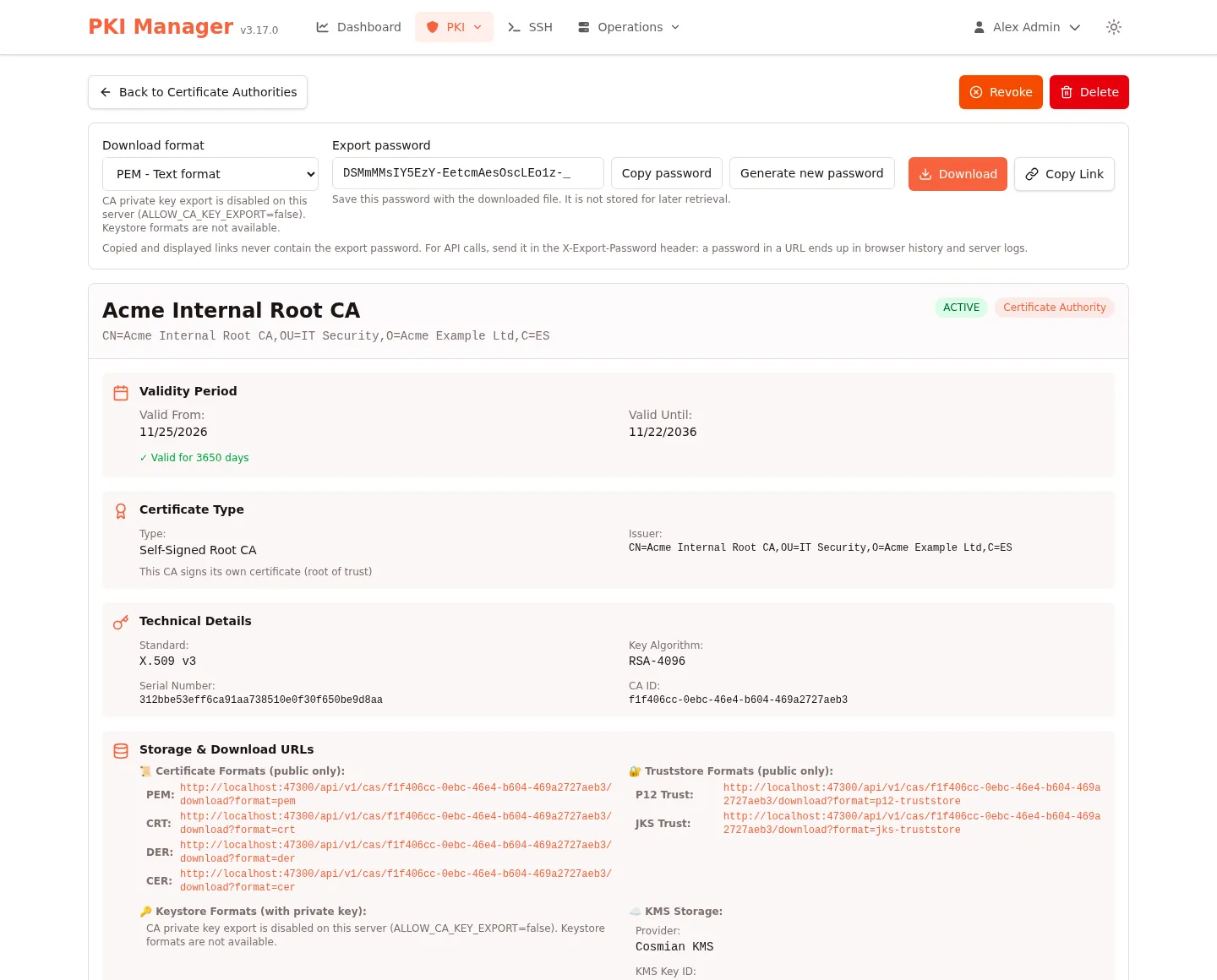
- Download the CA certificate as PEM, CRT, DER or CER, or as a PKCS#12 or Java truststore.
- Give clients a public address for the CA certificate:
/cas/<id>.pemneeds no login.
How it works
The backend asks the KMS to create the key pair and the self-signed certificate. The private key stays in the KMS. The database stores the certificate and the id of the key.
The CA certificate has the extensions that make it a CA: basicConstraints with CA:TRUE and
keyUsage with certificate signing and CRL signing, both critical.
When you create a CA, PKI Manager also publishes a first, empty revocation list. The address of the list works from the first day.
What it does not do
- It makes root CAs only. There are no intermediate CAs.
- CA keys are RSA. Certificates that the CA signs can use ECDSA keys.
- The CA key cannot be downloaded unless the server runs with
ALLOW_CA_KEY_EXPORT=true. Then only an admin can do it, and each export is written to the audit log.