 PKI Manager
Certificates
Issue, renew and download certificates for servers, clients, email and code signing, one at a time or many at once.
What you can do
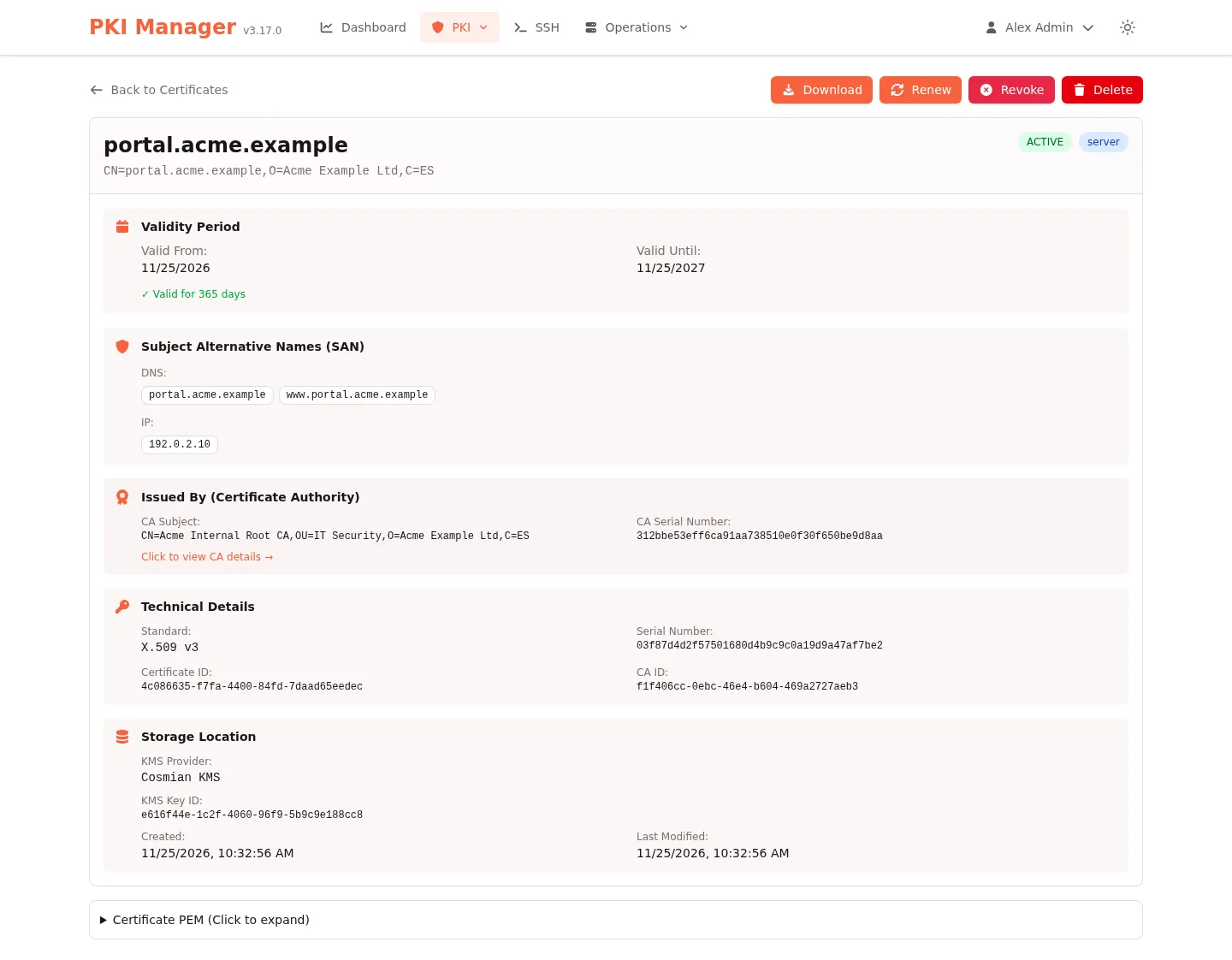
- Issue five types of certificate: server (TLS), client, dual (server and client), email (S/MIME) and code signing.
- Add subject alternative names: DNS names, IP addresses and email addresses.
- Choose the key: RSA-2048, RSA-4096, ECDSA P-256 or ECDSA P-384. Validity is up to 825 days.
- Download the format that the target needs: PEM, DER, the chain, PKCS#7, PKCS#12 (PFX), a Java keystore or truststore, or a ZIP with all of them. A format that contains the private key asks for a password.
- Renew a certificate. The new certificate has a new serial number and, unless you say otherwise, a new key. You choose if the old certificate stays valid or is revoked.
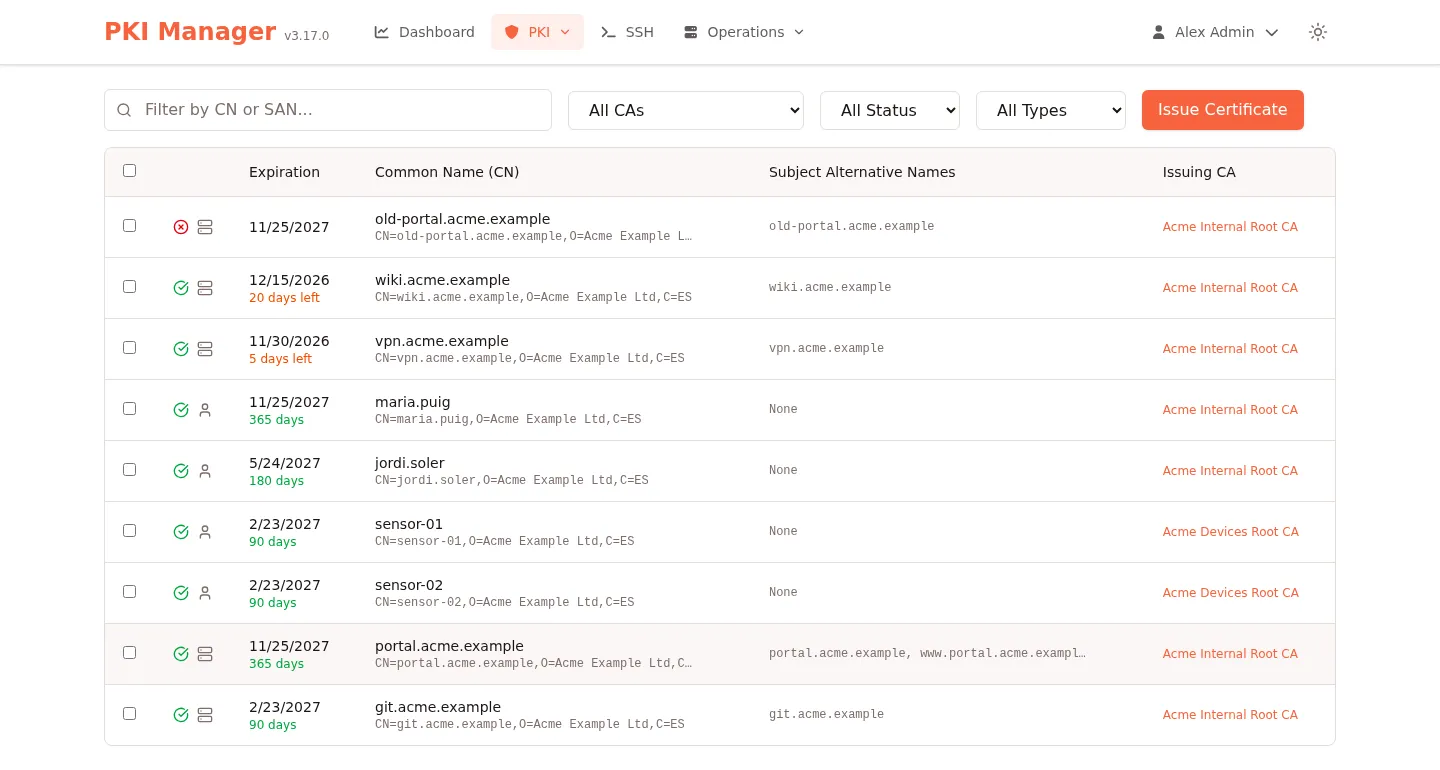
- Find certificates by name, CA, status or type.
Many at once
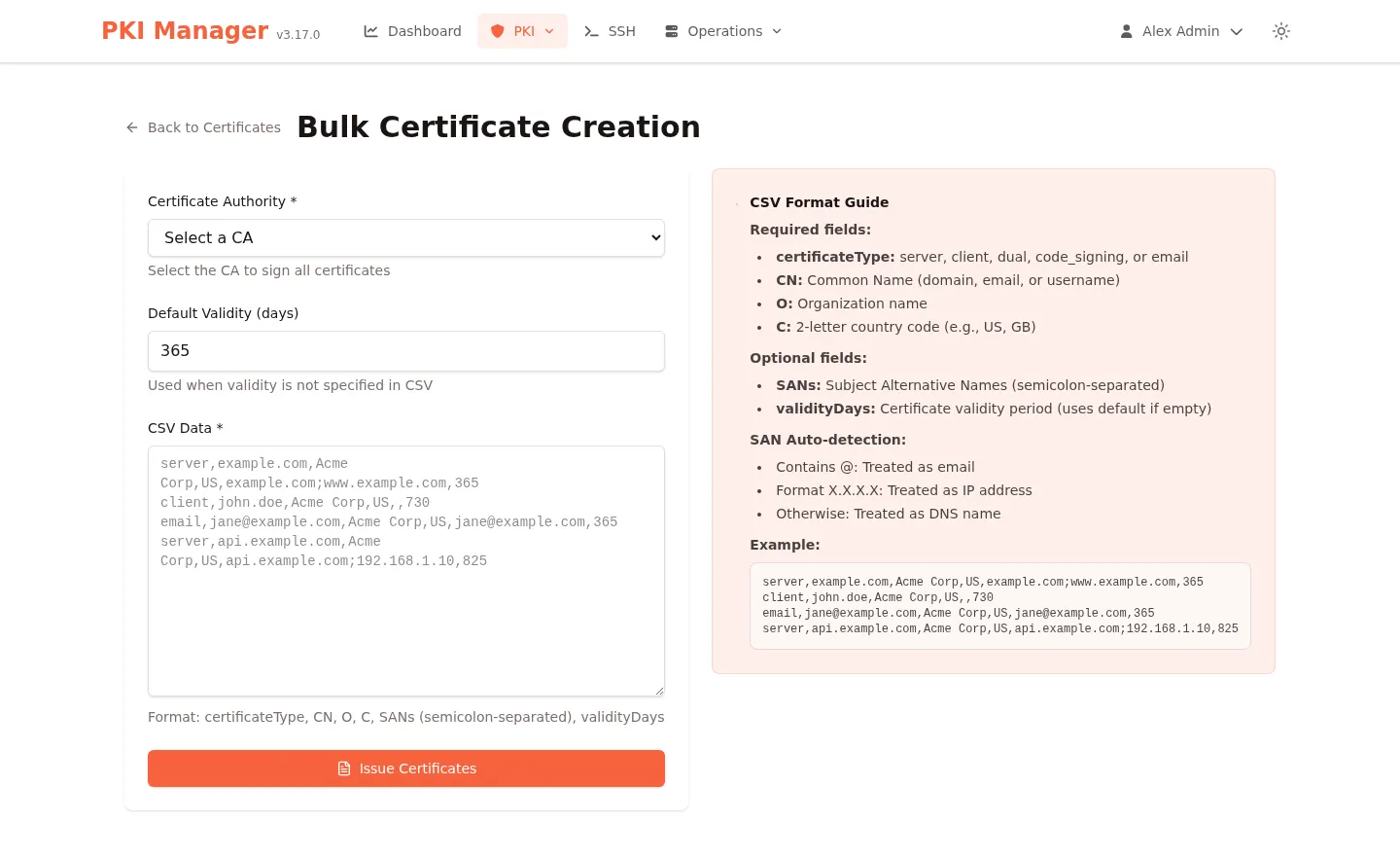
- Paste CSV lines to issue many certificates in one step.
- Select rows in the list to download, renew, revoke or delete up to 100 certificates together.
What expires next
The dashboard shows the CAs and certificates that expire next. A certificate with 30 days or less turns yellow, and with 7 days or less turns red.
How it works
The KMS makes the key pair and signs the certificate with the key of the CA. The database stores the certificate and the id of its key in the KMS.
When someone downloads a format that contains the private key, the backend reads the key from the KMS at that moment and builds the file.
To keep the private key on your own machine, do not use this page: send a certificate signing request (CSR) through the API. See Automation and API.
What it does not do
- It does not send an email or call a webhook before a certificate expires. The dashboard and the API show the dates.
- The certificate page of the web UI shows the 50 newest certificates and filters them in the browser. For more than that, use the API, which has paging, filters and sorting.
- CSV issuance always makes RSA-2048 keys, and it has no fields for unit, state and locality.