 PKI Manager
SSH certificate authority
Sign SSH certificates for people and for servers. Servers trust a CA, not a list of public keys, and clients trust a CA, not a fingerprint.
What you can do
- Run two CAs. The User CA signs the keys of people. The Host CA signs the keys of servers.
- Create an identity for each person and grant it principals: role names such as
dbaordeploy. - Sign the public key of a person for a time that you choose, from one hour to ten years.
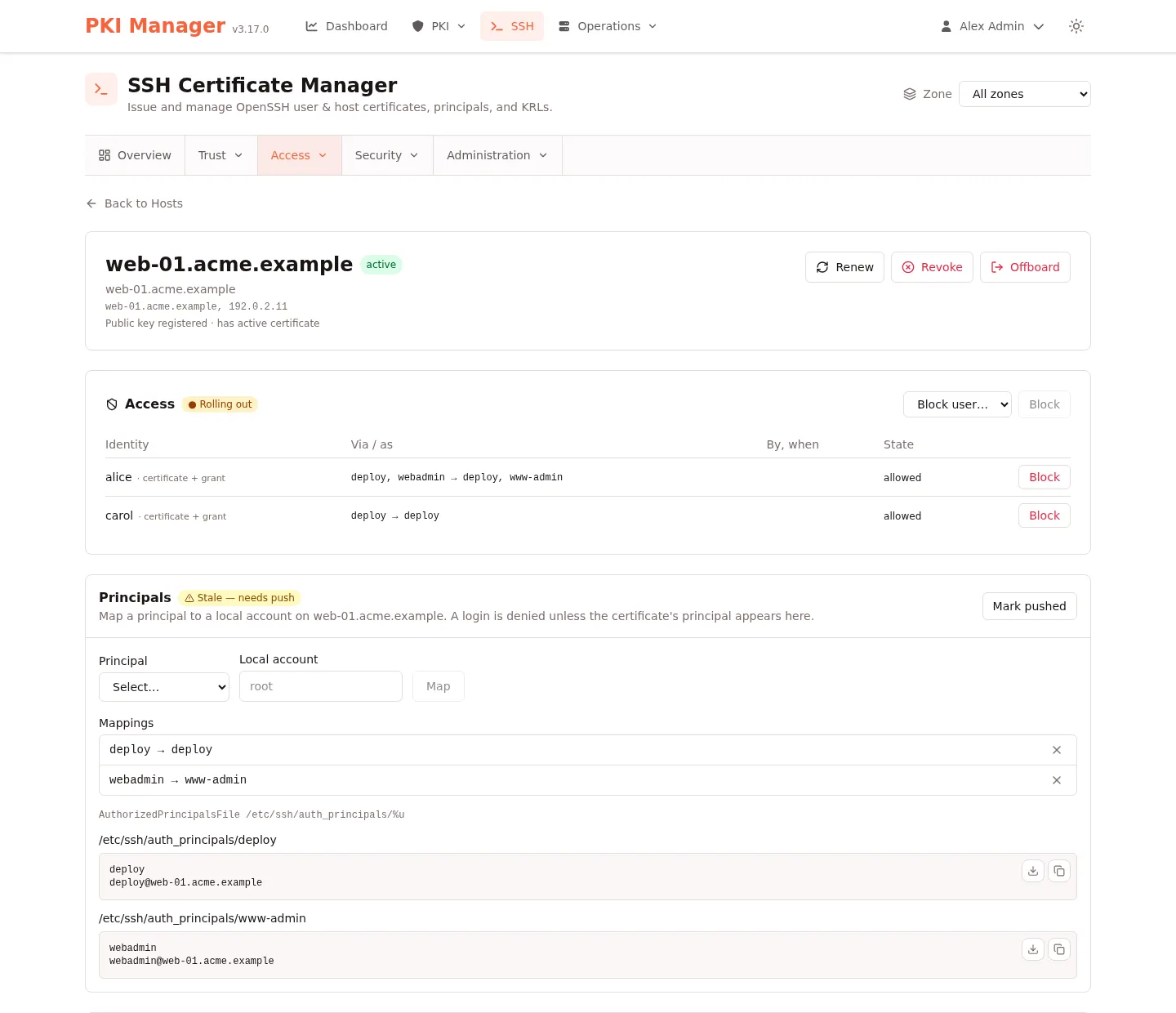
- Register a server with its public key. PKI Manager shows every file that the server needs: the
host certificate, the public keys of the CAs, an
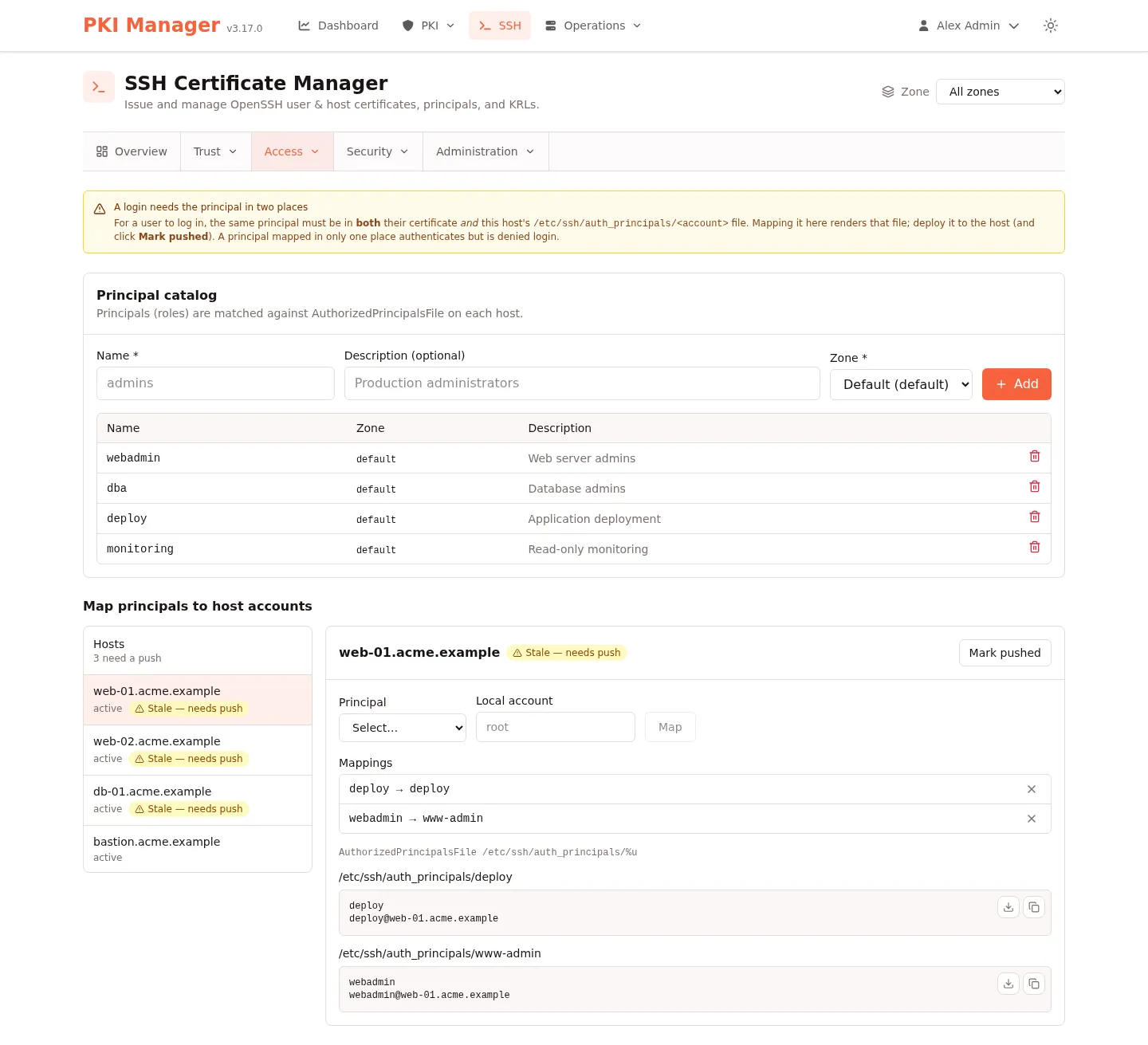
sshdconfiguration file and oneauth_principalsfile for each local account. - Map a principal to a local account on each server:
dbalogs in aspostgresondb-01.
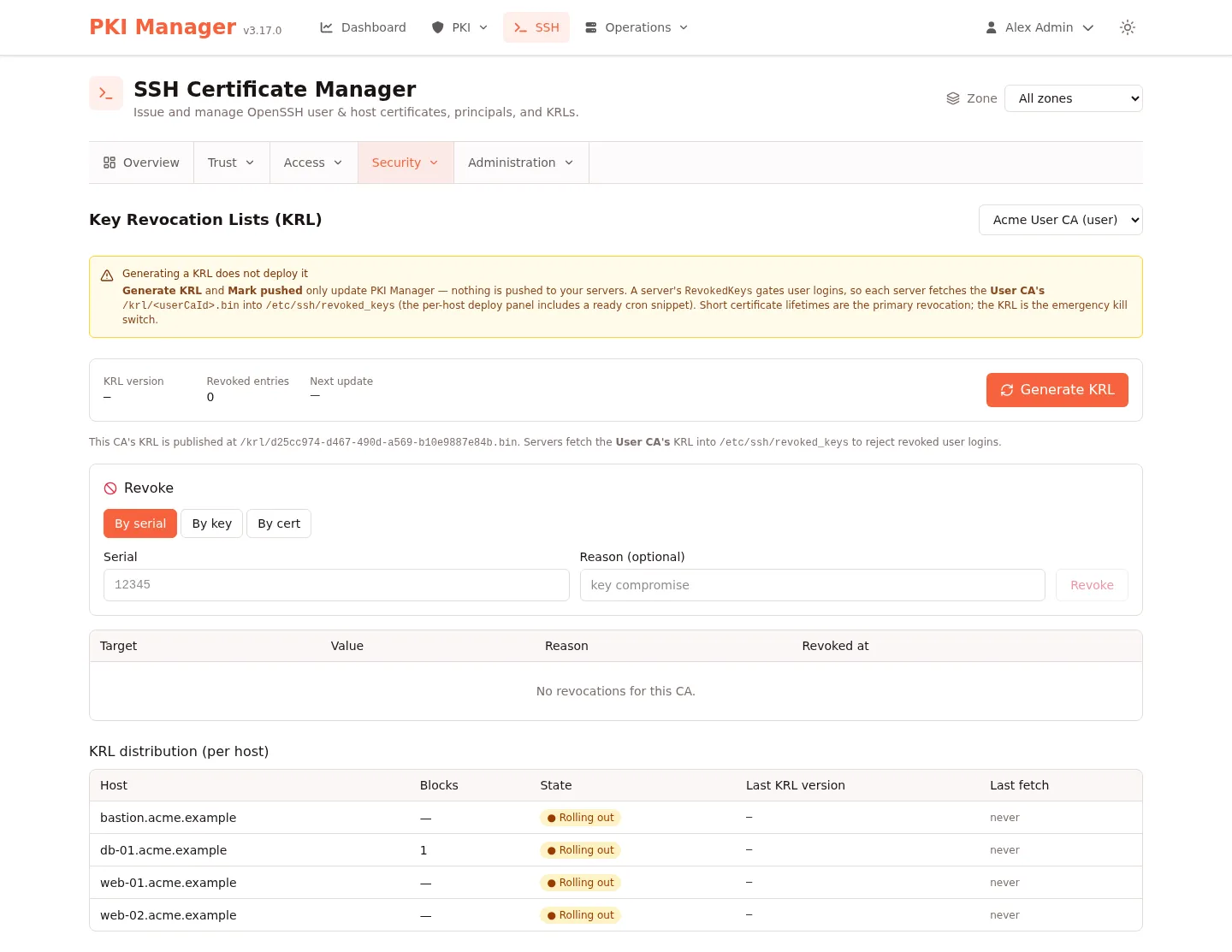
- Revoke a certificate or a key. Each CA has a key revocation list (KRL) at a public address.
- Block one person on one server. The certificate of that person keeps working on the other servers.
- Keep separate trust domains with zones: a server trusts only the User CA of its own zone.
- Rotate a CA. The old CA stays trusted for an overlap period.
- Automate with fleet tokens, limited to the operations, principals and lifetime that you allow, and with the Ansible role.
How it works
The keys of the SSH CAs are made in the KMS and cannot be exported. The KMS signs every SSH certificate and every KRL.
PKI Manager never logs in to your servers. It makes the files, and you place them: by hand, with
the Ansible role, or with krl-client, a small program on the server that fetches the KRL of that
host. A per-host KRL is encrypted for the host and signed by the Host CA.
A login needs the same principal in two places: in the certificate of the person, and in the
auth_principals file of the account on the server.
Certificates have a start and an end time, so the servers need a correct clock.
What it does not do
- It does not push files to servers and it does not need an agent to sign certificates.
- It does not accept RSA keys. People use
ed25519orecdsa-sha2-nistp256keys. Servers useecdsa-sha2-nistp256host keys. - The KRL at the public address is not checked by
sshdfor a signature: it relies on HTTPS and on file permissions. The per-host KRL thatkrl-clientfetches is signed and checked.